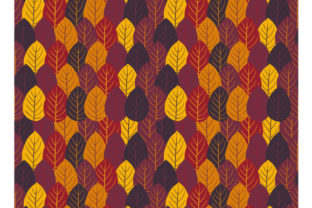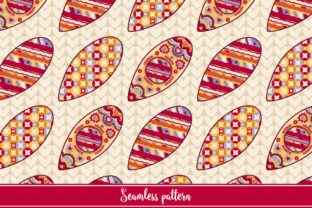
Winter Toys Seamless Pattern
Whether you're designing holiday packaging for a small-batch candle brand, preparing a festive classroom bulletin board, or building a cozy-themed landing page for your seasonal newsletter, the Winter Toys Seamless Pattern delivers immediate visual warmth and professional polish—without the hours of custom illustration work.
What Makes This Pattern Actually Useful—Not Just Pretty
A seamless pattern means the design repeats infinitely in all directions without visible seams or breaks. That’s essential when covering large surfaces: think wrapping paper rolls, website backgrounds, fabric mockups, or presentation slide decks. Unlike static holiday clipart or isolated SVG icons, this pattern behaves like a true design material—it scales, tiles, and adapts.
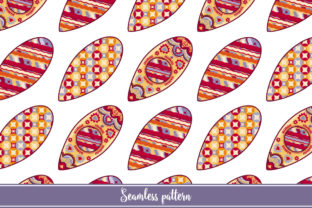
The Winter Toys Seamless Pattern features classic motifs—snowmen, mittens, sleds, gingerbread shapes, and wrapped presents—arranged with balanced spacing and subtle texture. It avoids visual clutter while retaining charm, making it versatile across both playful and refined contexts.
Two Formats, Two Clear Roles
You receive two files: an EPS vector file and a high-resolution JPG (5000 × 5000 pixels). They’re not interchangeable—they serve different needs.
- EPS file: Fully editable in Adobe Illustrator, Affinity Designer, or CorelDRAW. You can change individual toy colors, adjust spacing between elements, resize components non-destructively, or isolate one motif to use separately. Ideal if you need brand-aligned palettes (e.g., swapping reds for your company’s coral accent) or want to adapt the pattern for a specific product label size.
- JPG file: Optimized for immediate use where editing isn’t required—like uploading to Canva, placing into PowerPoint, or setting as a background in Mailchimp. At 5000 × 5000 pixels, it retains crisp detail even when scaled to fill a 4K monitor or printed at 12×12 inches at 300 DPI.
Neither file requires licensing negotiations or attribution. You’re free to use it commercially—for client projects, merchandise, digital products, or internal materials—as long as you don’t resell or redistribute the pattern file itself.
Who Benefits Most—and Why Timing Matters
Small business owners launching holiday collections often face tight deadlines and limited design resources. With this pattern, you can generate cohesive product labels, social media banners, and email headers in under an hour—no designer on retainer needed. One bakery owner used the EPS version to recolor sleds and snowmen to match their navy-and-gold packaging scheme, then exported variations for stickers, tissue paper, and Instagram Stories—all from a single source file.
Educators and homeschoolers appreciate how quickly the JPG version integrates into printable resources. A third-grade teacher layered it behind student writing prompts about “My Favorite Winter Memory,” then printed it on cardstock for take-home activity kits. The resolution ensured clean edges when photocopied—no pixelation or blurring.
Freelance designers and marketers find value in the flexibility: instead of building a custom pattern from scratch (which can take 4–6 hours), they drop in the EPS, tweak saturation and spacing to align with a client’s existing style guide, and deliver polished mockups faster. One UX writer repurposed the mitten and sled motifs as subtle UI accents in a winter-themed SaaS dashboard—using only the vector paths, not the full repeat.
Realistic Fit Considerations
This pattern works best when your goal is recognizable, nostalgic, and inclusive cheer—not hyper-realism or minimalist abstraction. If your brand voice leans starkly modern (e.g., monochrome tech tools or luxury skincare), the whimsical tone may require careful pairing—perhaps using it only as a subtle border or secondary texture rather than a dominant background.
Also note: while the EPS allows full color edits, it doesn’t include layered shadows or complex gradients by default. That’s intentional—it keeps file size lean and editing predictable. If your project demands drop shadows that scale with resized elements, you’ll need to add those manually in your vector editor (a 2-minute step in Illustrator using Appearance panel effects).
And while the 5000 × 5000 JPG is high-res, it’s still a raster image. Avoid enlarging it beyond ~150% in pixel-based editors like Photoshop—if you need extreme scalability (e.g., for billboard-sized prints), rely solely on the EPS.
How to Use It Without Overthinking
Start simple. Open the JPG in Canva or Google Slides and set it as a background for a holiday promo graphic. Adjust transparency to 15–20% if text needs higher contrast. Done.
For deeper customization: open the EPS in Illustrator, select all (Ctrl+A), then use Recolor Artwork to shift the entire palette in one click—try cool blues for a “frosty forest” vibe or warm ambers for “cozy cabin” energy. To emphasize rhythm, increase spacing between motifs via Object > Path > Offset Path, then delete the original layer.
Need variety without buying multiple patterns? Duplicate the EPS artboard, change one color group to grayscale, and overlay it at 10% opacity over the original for subtle depth—ideal for premium packaging mockups.
When to Look Elsewhere
If your project calls for photorealistic snow textures, animated SVGs, or culturally specific symbols (e.g., Diwali lamps or Lunar New Year motifs), this Winter Toys Seamless Pattern won’t meet that need—it’s intentionally broad-appeal and Western-holiday adjacent. Similarly, if you require CMYK-optimized vectors for commercial offset printing, verify your printer’s color profile requirements before finalizing; the EPS ships in RGB but converts reliably in most professional workflows.
And while it’s designed for ease, it’s not “plug-and-play magic.” You’ll still need basic familiarity with vector or raster software to unlock its full potential. That said, if you’ve ever changed a font color in PowerPoint or adjusted a filter in Canva, you already have the foundational skill to start.
A Practical Detail Often Overlooked
The pattern’s repeat tile is sized to balance density and breathing room—neither too sparse (which looks empty at large scale) nor too busy (which overwhelms small applications). At standard web resolutions, motifs remain legible down to ~150px wide. That means it holds up well on mobile banners and app splash screens, unlike overly intricate patterns that dissolve into noise on smaller viewports.
That balance didn’t happen by accident. It reflects iterative testing across real-world outputs—from Shopify store headers to stitched fabric swatches—so what you download has already been stress-tested, not just visually composed.
In short: the Winter Toys Seamless Pattern saves time not by cutting corners, but by removing repetitive steps—so you spend less time assembling and more time refining what matters most to your audience.