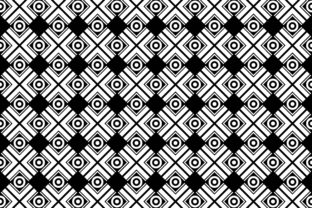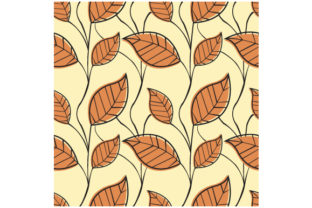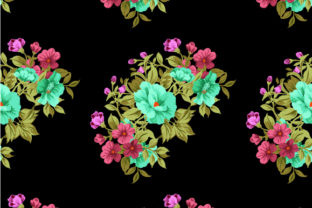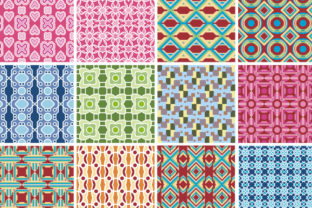
Modern Vector Seamless Pattern Collection
Seamless patterns are foundational building blocks—not decorative afterthoughts. When you’re designing a brand identity, preparing print-ready packaging, building a website background, or creating presentation assets, the right pattern does more than fill space. It establishes rhythm, supports hierarchy, and reinforces tone—without competing for attention. The Modern Vector Seamless Pattern Collection delivers exactly that: clean, scalable, professionally crafted vector patterns built for real-world use across digital and physical outputs.
What It Is—and Where It Fits in Your Workflow
This collection isn’t a library of isolated clipart or one-off textures. It’s a curated set of vector-based seamless repeats designed with technical precision: no visible seams, consistent spacing, balanced density, and intentional negative space. Each pattern scales infinitely without pixelation or distortion—critical whether you’re printing on fabric at 300 DPI or tiling across a 4K web banner.
Unlike raster-only pattern packs, these files ship in two universally compatible formats: JPG and EPS. That dual-format approach bridges practicality and flexibility. The JPG gives you immediate drag-and-drop usability for quick mockups, social media templates, or client previews—even if you’re not editing vectors. The EPS file preserves full vector editability: adjust colors, tweak stroke weights, isolate elements, or recolor entire swatches in seconds inside Illustrator, Affinity Designer, CorelDRAW, or Inkscape.
How It Integrates—Before, During, and After Key Tasks
You don’t need to wait until “design phase” to bring this collection into your process. Its value unfolds across multiple stages:
- Before a project starts: Use patterns as visual anchors during mood board creation or brand exploration. A subtle geometric repeat can clarify whether a palette feels “modern but warm” or “minimalist but rigid”—before committing to typography or layout direction.
- During execution: Drop an EPS pattern into a logo variant background, apply it as a clipping mask over product photography, or use it as a base layer in a presentation slide deck. Because it’s vector, you can resize, rotate, or recolor it non-destructively—even mid-review cycle.
- After delivery: Reuse the same pattern across email headers, printed business cards, or Shopify store banners. Consistency isn’t just aesthetic—it builds recognition. With one source file, you avoid version drift between platforms or team members.
Compatibility Without Compromise
The Modern Vector Seamless Pattern Collection works where you work—not where software vendors assume you should. EPS is supported by virtually every professional design application released in the last 20 years, including legacy versions still used in print production houses and university labs. JPG ensures compatibility with Canva, Figma (via image import), PowerPoint, Google Slides, and even basic photo editors like GIMP or Pixelmator.
No plugins. No font dependencies. No hidden layers or locked objects. Each EPS file opens cleanly—no broken links, no missing fonts, no embedded bitmaps masquerading as vectors. That means less time troubleshooting and more time iterating. If your team includes both Adobe and non-Adobe users—or if you outsource to freelancers using different tools—the collection stays reliable across environments.
Practical Implementation Tips You’ll Actually Use
Here’s how professionals integrate this collection without disrupting existing habits:
- Organize by function, not style: Create folders named “Backgrounds,” “Borders,” “Texture Overlays,” and “Print-Ready Tiles.” Move files accordingly. This saves minutes each time you’re searching for a low-contrast repeat versus a bold geometric grid.
- Use EPS for color control, JPG for speed: When prepping a client presentation, drop the JPG into your layout tool for fast previewing. Once approved, swap in the EPS and recolor to match the final brand palette—no re-exporting needed.
- Test tile behavior early: Before applying a pattern to large-format print, duplicate and offset the tile in your document to confirm seamlessness at scale. Most patterns in this collection have been stress-tested up to 12x zoom—but verify in your specific context.
- Pair intentionally: A tight dot grid pairs well with generous line spacing in body copy; a soft organic wave complements rounded UI elements. Don’t default to “filling white space.” Ask: *What action should the viewer take next?* Let the pattern support—not distract from—that flow.
Long-Term Usability and Quality Control
A pattern collection only stays useful if it remains easy to locate, trust, and deploy over months or years. These files follow naming conventions that survive file system searches: modvec-dots-03-soft-blue.eps, modvec-hex-07-warm-gray.jpg. No ambiguous numbers or cryptic abbreviations. Versioning is baked in—no risk of overwriting a working file with an updated but incompatible variant.
Quality control happens at the source. Every pattern has been manually verified for true seamlessness—not just auto-tiled in software. Stroke alignment, anchor point consistency, and Bézier curve smoothness were checked across multiple zoom levels and export settings. That means fewer surprises when converting to SVG for web use or exporting to PDF/X-4 for commercial print.
Real Workflows—Not Hypothetical Ones
Consider how a small business owner uses this collection while launching a new product line:
- They download the collection and move the EPS files into their brand asset folder alongside logos and color palettes.
- Using the “Subtle Grid” pattern, they create a consistent background for all product photos in Lightroom—applying it as an overlay layer, then exporting as JPG for Shopify.
- For the launch email campaign, they drop the same pattern (as JPG) into Mailchimp’s template builder, adjusting opacity to 8% so text remains legible.
- When ordering custom packaging, they send the original EPS to their printer, who embeds it directly into the dieline file—no resampling, no interpolation loss.
Or how an educator preparing workshop handouts might use it:
- They open the “Minimal Line” pattern in Illustrator, change all strokes to Pantone 294 C, then save as a custom swatch library for future use.
- That swatch gets applied to section dividers in InDesign—ensuring visual continuity across 12 handout modules.
- When sharing editable files with co-facilitators, they include only the JPG versions in the shared Google Drive folder—avoiding accidental edits to master EPS assets.
Efficiency That Scales With You
This isn’t about doing *more*. It’s about reducing friction in decisions that repeat constantly: *What background works here? Which pattern communicates stability without feeling cold? How do I maintain cohesion across three platforms with different technical constraints?*
The Modern Vector Seamless Pattern Collection answers those questions before they become bottlenecks. It doesn’t replace judgment—it supports it. You still choose the right pattern for the message. You still decide where contrast matters most. But now, the technical execution—scaling, recoloring, embedding, exporting—is predictable, repeatable, and platform-agnostic.
That predictability compounds. One hour saved per project adds up to days reclaimed over a quarter. One consistent visual thread strengthens audience recall across touchpoints. One reliably editable file reduces version confusion across teams. None of that requires learning new software or overhauling your process—just adding a precise, well-built resource where it fits naturally.
Getting Started Is Literal Drag-and-Drop
There’s no installation. No account required. No subscription timer ticking down. You download, unzip, and begin using—immediately. Whether you’re sketching wireframes in Figma, laying out a brochure in InDesign, editing video thumbnails in Premiere Pro, or prepping Instagram carousels in Canva, the files adapt to your environment—not the other way around.
And because both JPG and EPS are included, there’s no guesswork about which format to reach for first. Need speed? Grab the JPG. Need precision? Open the EPS. Both serve the same goal: helping your work land clearly, consistently, and professionally—without slowing you down.